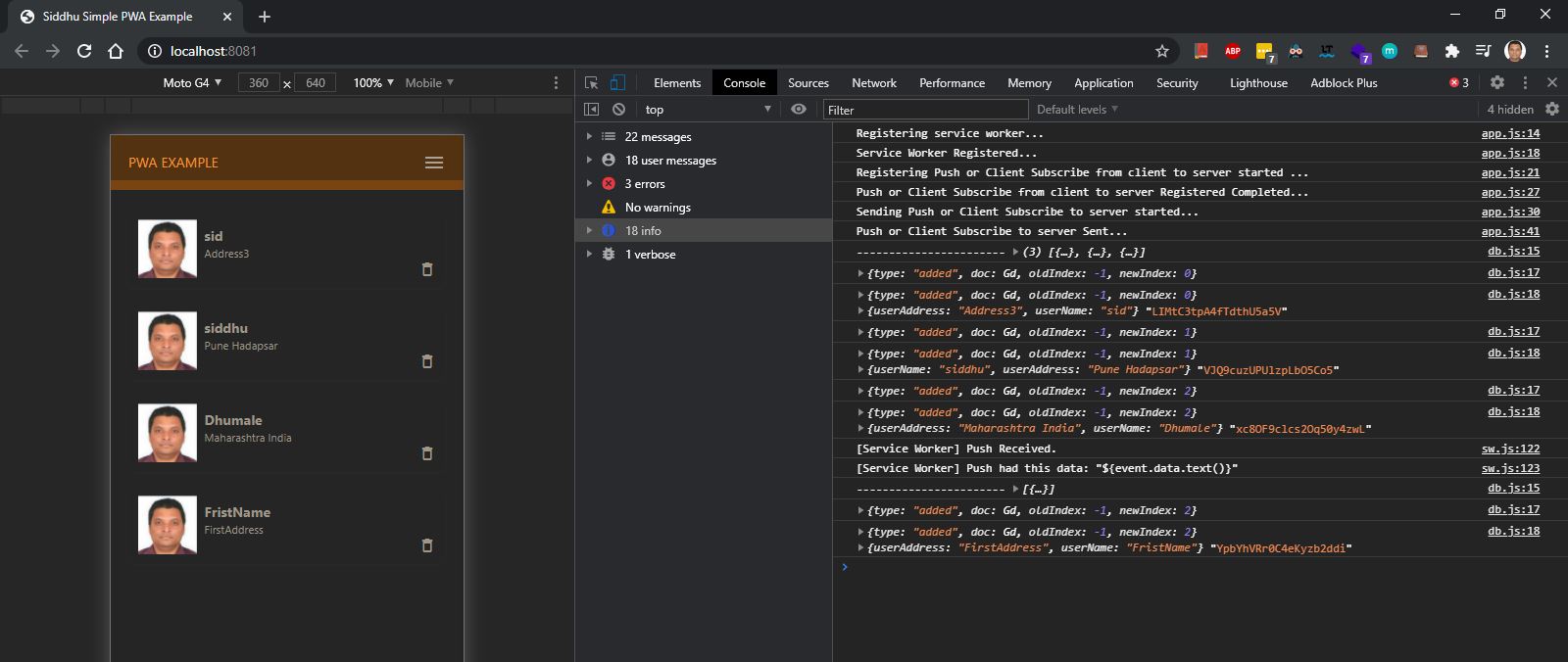
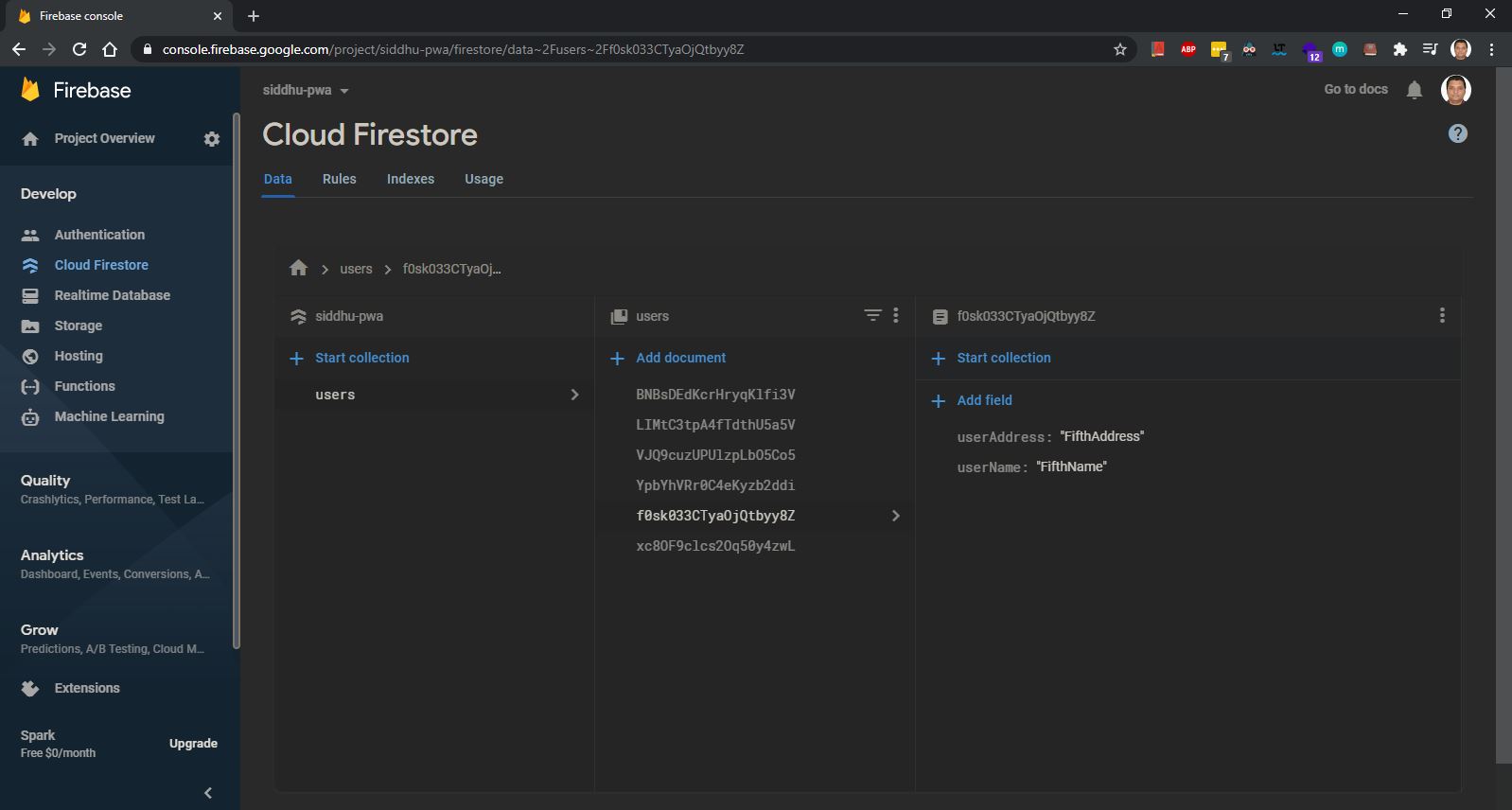
In previous example we had tried to use Firbase as the DB. Firebase provide us many inbuild functionality that help us to perform PWA sync offline. In depth it uses IndexDB of browser to perform the same operation. Now lets take an example in which we will use the indexdb api to perform the same.
We are going to use the plain vanilla java script to perform all the operation of install, activate, fetch , open Indexdb.
Scenario we are going to capture here are
1- User comes online and access the site. User fill the form and submit the data
Two case can happen
A:- Internet is there and user is successful to call W/S and submit data.
B:- If the internet stop then his form data will be stored in the IndexDB and then automatically when the internet come the data is submitted from Indexdb to W/S call.
2- User is offline and as PWA is implemented he fill the form.
A:- After the user submit the form its data will be stored inside the Indexdb and then automatically when the internet come the data is submitted from Indexdb to W/S call.
Lets start the code now …
first we will create a html that will have only one text field that will be used to store in Indexdb or send to W/S.
1- index.html:-
<!DOCTYPE html>
<html>

<head>
    <link href="https://maxcdn.bootstrapcdn.com/bootstrap/3.3.7/css/bootstrap.min.css" rel="stylesheet">

    <style>
        body {
            background-color: #f5f5f5;
        }

        .explainer {
            padding-top: 5px;
            padding-bottom: 5px;
        }

        .explainer p {
            font-weight: 50;
            color: blue;
        }
    </style>
</head>

<body>
    <div class="container">
        <div class="col-md-6 col-md-offset-3">
            <div class="text-center">
                <div class="explainer">
                    <h1 class="h1 mb-3 font-weight-normal">Plain Vanilla JS Background Sync using PWA Concept</h1>

                    <p>Scenario we are going to capture here are <br>
                        1- User comes online and access the site. User fill the form and submit the data
                        Two case can happen
                        <br>
                        A:- Internet is there and user is successful to call W/S and submit data.
                        <br>
                        B:- If the internet stop then his form data will be stored in the IndexDB and then automatically
                        when the internet come the data is submitted from Indexdb to W/S call.
                        <br>
                        2- User is offline and as PWA is implemented he fill the form.
                        <br>
                        A:- After the user submit the form its data will be stored inside the Indexdb and then
                        automatically when the internet come the data is submitted from Indexdb to W/S call.
                    </p>
                </div>

                <form class="form-horizontal">
                    <div class="form-group">
                        <label for="firstname" class="col-md-3 control-label">First Name: </label>
                        <div class="col-md-9">
                            <input class="form-control" type="text" name="firstname" id="firstname"
                                placeholder="Enter the First Name">
                        </div>
                    </div>

                    <button class="btn btn-lg btn-primary btn-block " id="submitForm">Call Back End</button>
                </form>
            </div>
        </div>
    </div>

    <script src="./index.js"></script>
</body>

</html>
2- Index.js
const url = 'https://jsonplaceholder.typicode.com/posts';
//Calling the method that are executed onload of the html that inbuild call index.js
window.addEventListener('load', () => {
  //register service worker
  registerSW();
  //Initializing IndexDB
  initializeDB();
  //syncButton();
  //send the data to url if online
  checkIndexedDB();
});

//register the sw.js with the browser. In this step we will check if the browser allows us to use the PWA functionality. If not we will show error to the end user.
async function registerSW() {
  if ('serviceWorker' in navigator) {
    try {
      //await navigator.serviceWorker.register('./sw.js');
      console.log('Inside registerSW:');
      await navigator.serviceWorker.register('./sw.js')
        .then(function () {
          return navigator.serviceWorker.ready
        })
        .then(function (registration) {
          document.getElementById('submitForm').addEventListener('click', (event) => {
            event.preventDefault();
            //If user online the save data.
            saveData().then(function () {
              if (registration.sync) {
                //registring the sync process with name
                registration.sync.register('back-sync')
                  .catch(function (err) {
                    return err;
                  })
              } else {
                // sync isn't there so fallback
                console.log('Inside registerSW checkInternet:');
                checkInternet();
              }
            });
          })
        })

    } catch (e) {
      console.log('SW registration failed');
    }
  } else {
    //If the browser did not support the PWA then also our application should work when the user in online.
    document.getElementById('submitForm').addEventListener('click', (event) => {
      //below will keep the data on the screen filled even  if the something goes wrong in later case.
      event.preventDefault();
      //Calling Save Data to call the W/S.
      saveData().then(function () {
        checkInternet();
      });
    })
  }
}

/* async function syncButton() {
  try {
    await navigator.serviceWorker.ready.then(function (swRegistration) {
      return swRegistration.sync.register('myFirstSync');
    });
  } catch (e) {
    console.log('SW registration failed');
  }
}
 */
function initializeDB() {
  console.log('Inside initializeDB:');
  var newindexDB = window.indexedDB.open('browserindexDB');

  newindexDB.onupgradeneeded = function (event) {
    var db = event.target.result;

    var newIndexdbObjStore = db.createObjectStore("newIndexdbObjStore", { autoIncrement: true });
    newIndexdbObjStore.createIndex("firstName", "firstName", { unique: false });

  }
}

//Createing indexdb that will store the value while make the call to W/S.
function checkIndexedDB() {
  console.log('Inside checkIndexedDB:');
  if (navigator.onLine) {
    console.log('Inside navigator.onLine:');
    var newindexDB = window.indexedDB.open('browserindexDB');
    newindexDB.onsuccess = function (event) {
      this.result.transaction("newIndexdbObjStore").objectStore("newIndexdbObjStore").getAll().onsuccess = function (event) {
        window.fetch(url, {
          method: 'POST',
          body: JSON.stringify(event.target.result),
          mode: 'no-cors',
          headers: {
            'Content-Type': 'application/json',
            'Accept': 'application/json'
          }
        }).then(function (rez) {
          return rez.text();
        }).then(function (response) {
          newindexDB.result.transaction("newIndexdbObjStore", "readwrite")
            .objectStore("newIndexdbObjStore")
            .clear();
        }).catch(function (err) {
          console.log('err ', err);
        })
      };
    };
  }
}

//Use to save th data in side Indexdb
function saveData() {
  console.log('Inside saveData:');
  return new Promise(function (resolve, reject) {
    var tmpObj = {
      firstName: document.getElementById('firstname').value
    };

    var myDB = window.indexedDB.open('browserindexDB');

    myDB.onsuccess = function (event) {
      var objStore = this.result.transaction('newIndexdbObjStore', 'readwrite').objectStore('newIndexdbObjStore');
      objStore.add(tmpObj);
      resolve();
    }

    myDB.onerror = function (err) {
      reject(err);
    }
  })
}
//Fetching the data from indexdb
function fetchData() {
  console.log('Inside fetchData:');
  return new Promise(function (resolve, reject) {
    var myDB = window.indexedDB.open('browserindexDB');

    myDB.onsuccess = function (event) {
      this.result.transaction("newIndexdbObjStore").objectStore("newIndexdbObjStore").getAll().onsuccess = function (event) {
        resolve(event.target.result);
      };
    };

    myDB.onerror = function (err) {
      reject(err);
    }
  })
}

//Sending the data to W/S call.
function sendData() {
  console.log('Inside sendData:');
  fetchData().then(function (response) {
    var postObj = {
      method: 'POST',
      body: JSON.stringify(response),
      headers: {
        'Content-Type': 'application/json'
      }
    };

    // send request
    return window.fetch(url, postObj)
  })
    .then(clearData)
    .catch(function (err) {
      console.log(err);
    });
}

//Clear the data from the indexdb once we get the network or making a call when network in online.
function clearData() {
  console.log('Inside clearData:');
  return new Promise(function (resolve, reject) {
    var db = window.indexedDB.open('browserindexDB');
    db.onsuccess = function (event) {
      db.transaction("browserindexDB", "readwrite")
        .objectStore("newIndexdbObjStore")
        .clear();

      resolve();
    }

    db.onerror = function (err) {
      reject(err);
    }
  })
}

function checkInternet() {
  console.log('Inside checkInternet:');
  event.preventDefault();
  if (navigator.onLine) {
    sendData();
  } else {
    alert("You are offline! When your internet returns, we'll finish up your request.");
  }
}
//Sending the request to W/S if the user is online.
window.addEventListener('online', function () {
  console.log('Inside online:');
  if (!navigator.serviceWorker && !window.SyncManager) {
    fetchData().then(function (response) {
      if (response.length > 0) {
        return sendData();
      }
    });
  }
});

window.addEventListener('offline', function () {
  console.log('Inside offline:');
  alert('You have lost internet access!');
});
3- sw.js
const url = 'https://jsonplaceholder.typicode.com/posts';
//Define the cache name. By this name of the cache data is fetch when no internet is there.
const cacheName = 'siddhucache.1.0';
//This is the array that define the files that need to be cache.
const staticAssets = [
    './',
    './index.html',
    './index.js',
    'https://maxcdn.bootstrapcdn.com/bootstrap/3.3.7/css/bootstrap.min.css'
];

//Install :- This will be executed if site is accessed fresh or the version of the SW change. This is called immediately
// Once the browser detect the new version of SW for registration.
self.addEventListener('install', async e => {
    console.log('install:');
    const cache = await caches.open(cacheName);
    await cache.addAll(staticAssets);
    //below line of code will tell start working as soon as request is made.
    return self.skipWaiting();
});

self.addEventListener('activate', function (event) {
    console.log('activate:');
    /*     self.clients.claim(); */
    caches.match(event.request)
        .then(function (cachedFiles) {
            if (cachedFiles) {
                return cachedFiles;
            } else {
                return fetch(event.request);
            }
        })
        .catch(function (err) {
            console.log('err in fetch ', err);
        })
});

//Fetch:- Here we do following things
//Step A:- Frist check if the internet is online. If online then we will make a call to server using internet and cache the new data.
//Step B:- If no internet then show the result from the cache to the end users.
self.addEventListener('fetch', async e => {
    const req = e.request;
    const url = new URL(req.url);

    if (url.origin === location.origin) {
        //below line indicate if the requested url is same and no internet then fetch the date from the cache
        e.respondWith(displayFirstCache(req));
    } else {
        //below line indicate else make a call to the internet and fetch the new data.
        e.respondWith(callNetworkFirstAndThenDoCache(req));
    }
});

//This fuction will be used to take the data from the cache defined in cacheName
async function displayFirstCache(req) {
    //Opening the cachee
    const cache = await caches.open(cacheName);
    //Matching the request
    const cached = await cache.match(req);
    //if same then return the cached else call the internet using fetch method.
    return cached || fetch(req);
}

//This fuction will be used to take the data from the internet and fill the new values in the cache defined in cacheName
async function callNetworkFirstAndThenDoCache(req) {
    const cache = await caches.open(cacheName);
    try {
        //calling internet and taking new data.
        const fresh = await fetch(req);
        //deleting the old cahce and pusing the new data.
        await cache.put(req, fresh.clone());
        return fresh;
    } catch (e) {
        //if no internet then use the old data.
        const cached = await cache.match(req);
        return cached;
    }
}
//Calling the sync method when the use come on line
self.addEventListener('sync', function (event) {
    console.log('firing: sync');
    if (event.tag == 'back-sync') {
        event.waitUntil(syncIt());
    }
});

function syncIt() {
    console.log('Inside syncIt:');
    return getIndexedDB()
        .then(sendToServer)
        .catch(function (err) {
            return err;
        })
}

//Getting the handle of indexdb
function getIndexedDB() {
    console.log('Inside getIndexedDB:');
    return new Promise(function (resolve, reject) {
        var db = indexedDB.open('browserindexDB');
        db.onsuccess = function (event) {
            this.result.transaction("newIndexdbObjStore").objectStore("newIndexdbObjStore").getAll().onsuccess = function (event) {
                resolve(event.target.result);
            }
        }
        db.onerror = function (err) {
            reject(err);
        }
    });
}

//Makeing call to W/S.
function sendToServer(response) {
    console.log('Inside sendToServer:');
    return fetch(url, {
        method: 'POST',
        body: JSON.stringify(response),
        headers: {
            'Content-Type': 'application/json'
        }
    }).then(function (rez2) {
        console.log('Sended data', rez2);
        var myDB = indexedDB.open('browserindexDB');
        myDB.onsuccess = function (event) {
            var objStore = this.result.transaction('newIndexdbObjStore', 'readwrite').objectStore('newIndexdbObjStore');
            objStore.clear();
        }

        myDB.onerror = function (err) {
            reject(err);
        }
        return rez2.text();
    }).catch(function (err) {
        console.log('Err data', err);
        return err;
    })
}
Now let see the scenario
1- When the user in Online.

Entering the data and click on back end call button
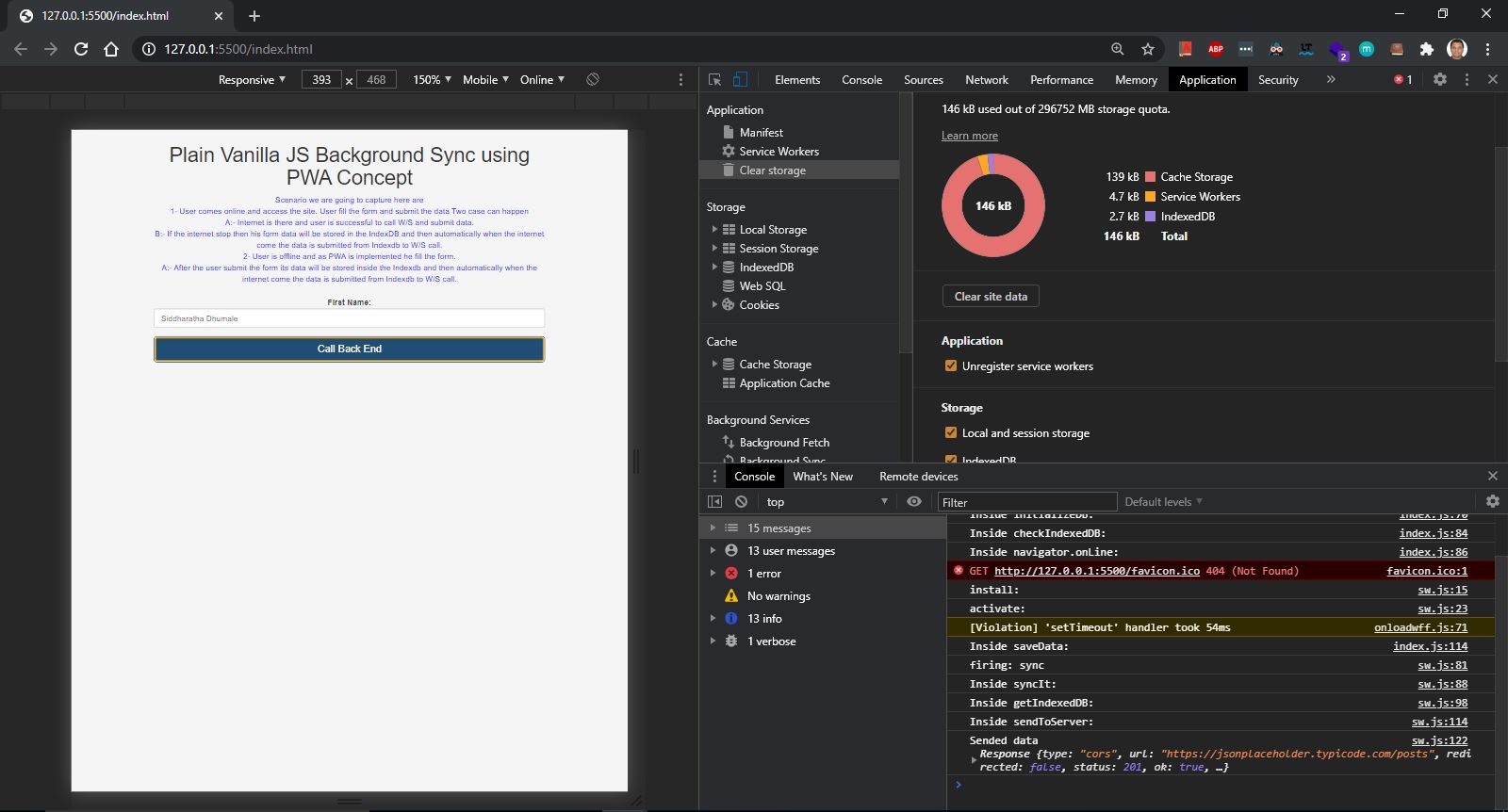
2- Now lets go to offline by clicking on application –> Offline checkbpox

Now enter the data and click on back end call button
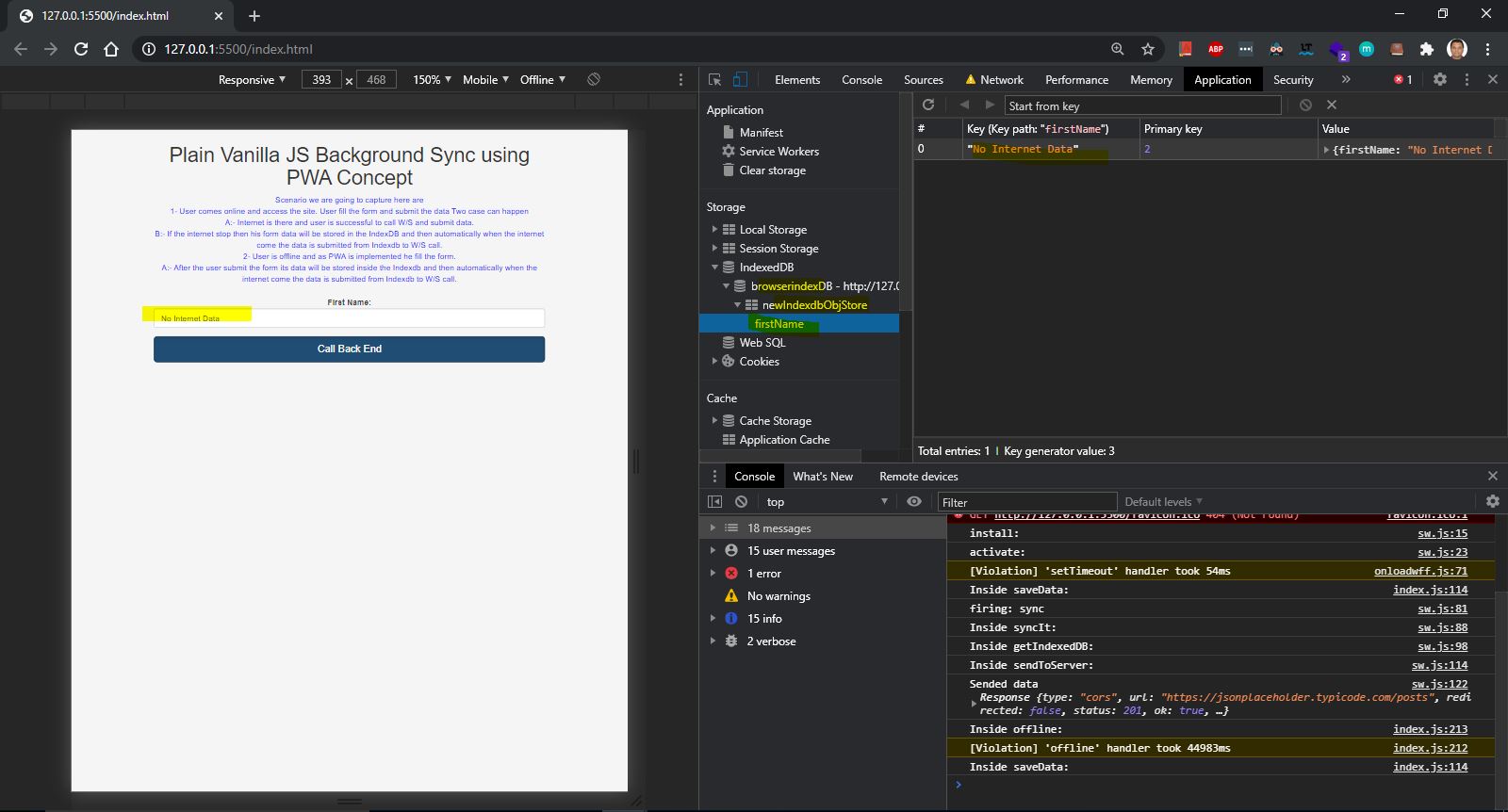
Now lets come to online by unchecking the application –> Offline checkbpox. We can see immediately a W/S call is made and data store inside the indexDb is deleted.

You can download the source code from







 ${data.userName}